
Partway through a six-hour PLA print, the nozzle on my Bambu P1S clogged.
It was the first print-halting clog in about a year of heavy use, with PLA, PETG, PCTG and PA-CF all going through the same 0.4 mm hardened-steel nozzle. I did have a spare complete nozzle and hotend assembly on the shelf, so swapping it would have been the easy answer. I wanted to see if I could get the one I already had working again.
I could. This is what I did, in the order I did it. It’s one recovery, not a procedure, and I’ll be clear below about the parts that were specific to my situation.
At a glance
| Printer | Bambu Lab P1S |
| Nozzle | 0.4 mm hardened steel (recovered, not replaced) |
| Problem | Clog during a six-hour PLA print, right after a PCTG print |
| Outcome | Nozzle back in service, several good prints since |
| Root cause | Never confirmed |
What Bambu says first
Bambu publishes an official nozzle-clog troubleshooting guide that walks through thermal extrusion, the unclogging pin that ships with the printer, and heavier fallbacks. They also publish a cold-pull procedure for the P1S: heat to 230°C, cool to 70°C, then pull the filament out by hand. They recommend cold pulls as routine maintenance, especially when you switch filament types.
I didn’t do a cold pull this time. Start with Bambu’s instructions for your printer; what follows is only what happened on mine.
What I did
1. Bottom pin at 270°C. The nozzle had just run PCTG, so I suspected leftover PCTG rather than a plain PLA jam. That’s why I went hotter than I would for PLA, and used Bambu’s cleaning pin from the bottom.
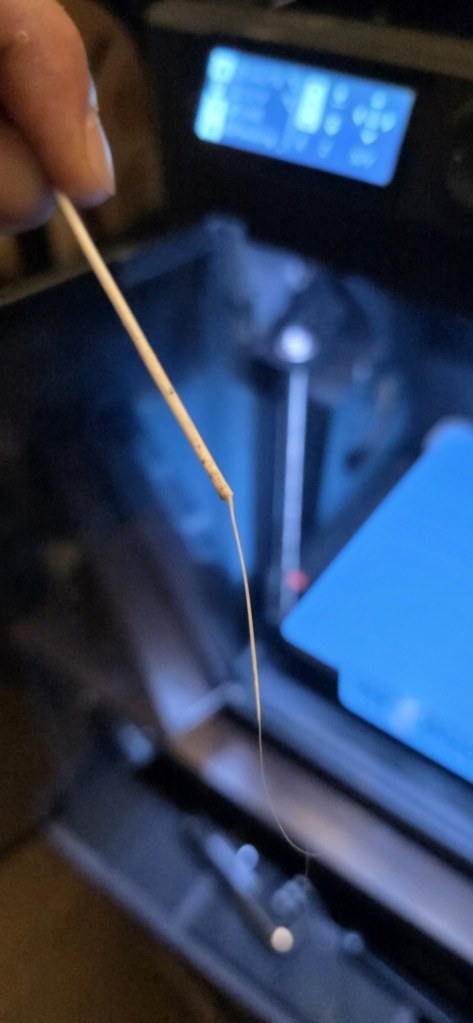
2. Probing from the top. I tried the same pin from the top of the nozzle. This did not clear it. The pin came out coated in molten PCTG with a thin strand stretching off the tip, which is the photo at the top of this post. It was useful evidence, but not a fix.
3. PCTG fed from the top at about 265–270°C. I kept feeding PCTG through until a steady, full-diameter stream came out. That’s the sign the path is clear.
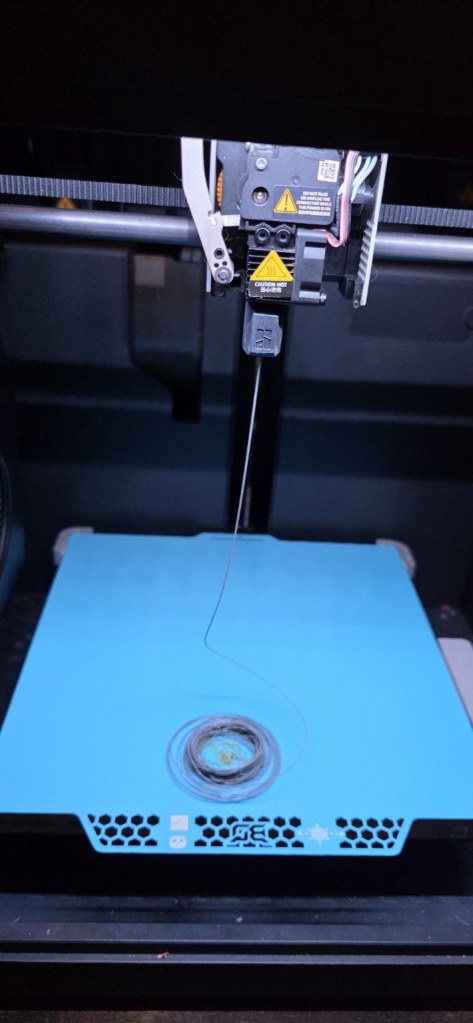
4. Real prints. I declared it clear when the stream was steady, but the proof was in printing. It went on to complete several good prints, and I confirmed again the next day that the cleaning had held.
The temperature wasn’t a recommendation
270°C and the 265–270°C purge were chosen for this incident, because PCTG residue was my suspect. They are not a PLA unclogging temperature. If you have a plain PLA clog, match the temperature to the filament actually loaded and follow Bambu’s guide.
What I still don’t know
I never pulled out a piece of plastic or identified the cause. PCTG residue from the previous print is my working theory, which is why I treated it that way. Heat creep is another possibility. If this clogs again, I won’t assume it’s the same cause.
What worked and what didn’t
- Worked: the bottom-pin attempt followed by a same-material (PCTG) purge at a temperature chosen for this specific situation, and not stopping after the first attempt failed.
- Didn’t work: probing with the pin from the top.
Safety
The hotend, the pin and freshly extruded filament can all cause burns. Keep your hands clear of the nozzle area while it heats and extrudes, use the printer’s own temperature controls rather than handling hot parts, and follow Bambu’s current instructions for your model.
Sources
- Bambu Lab, nozzle-clog troubleshooting
- Bambu Lab, P1S cold pull


Leave a Reply